STT Helper: User Documentation#
Purpose#
STT Helper is a web-based tool for processing automatically generated transcripts. It converts machine-generated speech-to-text output into professionally formatted, easily readable documents.
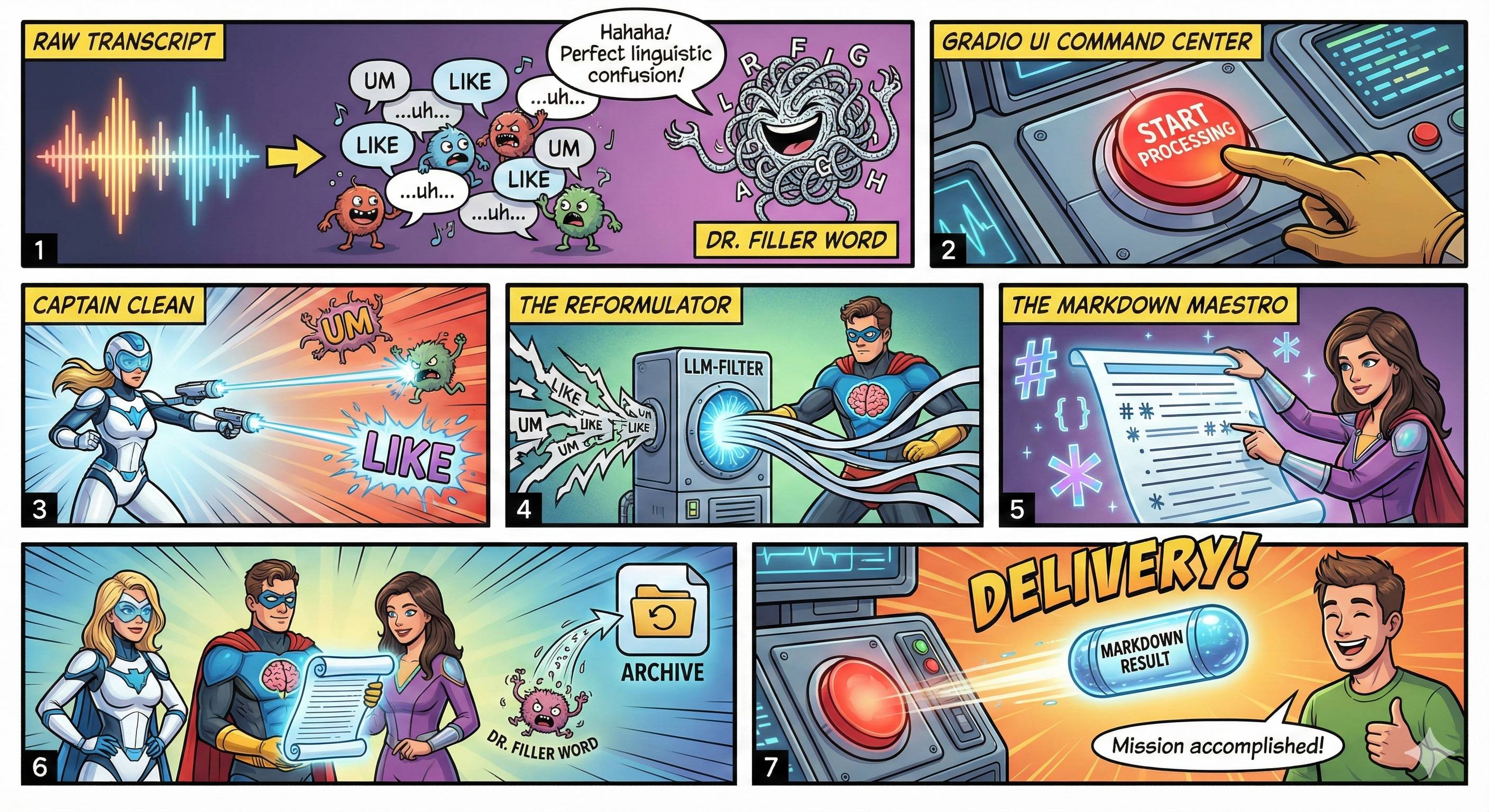
The basic principle is based on multi-stage processing by a large language model (LLM). The text undergoes up to three consecutive optimisation phases, each of which improves specific aspects of the text quality. Each phase builds on the results of the previous one, leading to a gradual refinement of the content.
The tool is in productive use.
Range of functions#
Phase 1: Cleaning and error correction
- Correction of transcription errors, especially in technical terms
- Removal of colloquial phrases and filler words
- Completion of incomplete sentences
- Context-based recognition and correction of technical terminology
Phase 2: Stylistic revision
- Rephrasing in a professional, factual writing style
- Transformation into scientific language
- Use of active phrasing
- Improvement of linguistic precision while retaining all information
Phase 3: Formatting
- Structuring as a Markdown document
- Insertion of thematic headings
- Division into coherent paragraphs
- Optimisation for reuse in other systems
Contextualisation
- Specification of subject areas to improve term recognition
- Specification of relevant terminology
- Adaptation to different disciplines
Asynchronous processing
- Automatic background processing without waiting time in the browser
- Notification by email upon completion
- Data protection-compliant processing on HU servers
Operation#
Step 1: Accessing the application You can access STT Helper via the web-based interface of Humboldt University. After opening the application, first select your preferred language (German or English).
Step 2: Enter your email address In the ‘Email address’ field, enter the address to which you would like the processing results to be sent. We recommend using your HU email address.
Step 3: Provide text You have two options:
- Upload file: Select a text file in the formats .txt, .md, .text or .markdown. The maximum file size is 10 MB.
- Paste text: Copy your transcribed text directly into the text field.
Step 4: Specify subject context Enter relevant information in the ‘Subject areas and context’ field, for example:
- Subject area (e.g. ‘medicine’, ‘law’, ‘technical documentation’)
- Specific sub-areas (e.g. “cardiology”, ‘contract law’)
- Special terminology that needs to be recognised correctly
This information significantly improves the quality of the processing, especially for technical texts with specific terminology.
Step 5: Select processing level Select the desired processing level from the drop-down menu:
- 1. Correction: Only correction of transcription errors
- 2. Revision: Correction and stylistic improvement
- 3. Formatting: Complete processing including Markdown formatting
The selection depends on your intended use. Level 3 is recommended for most applications.
Step 6: Start processing Click on ‘Start processing’. By doing so, you declare your consent to data processing in accordance with the HU Berlin privacy policy. Processing will now take place in the background. You can close the browser window.
Step 7: Receive results Once processing is complete, you will receive the results by email as a Markdown file. The processing time depends on the length of the text and can vary from a few minutes to several hours.
Important notes:
- Only use text files without binary data
- Transcripts with timestamps are not suitable, as these will be removed during processing
- All uploaded files will be deleted from the servers immediately after processing
- The maximum input length is 5 million characters
Application example#
Initial situation: You have recorded a three-hour lecture on the introduction to biochemistry and had it transcribed using the HU speech-to-text infrastructure. The resulting transcript contains the complete text, but is written in spoken language:
“So, um, if we take a look at how enzymes work, then it’s the case that they… they bind to substrates and then catalysis happens, right? And that’s important because… well, without enzymes, the whole process would be much too slow.”
Objective: You want to use this transcript to create a lecture script that you can upload to Moodle and use as the basis for an AI-supported learning assistant.
Procedure:
- Upload the transcript as a
.txtfile - In the context field, enter: ‘Biochemistry, Enzymology, Catalysis, Metabolism’
- Select processing level ‘3. Formatting’
- Enter your HU email address
- Start processing
Result: After about 45 minutes, you will receive a Markdown document by email with the following content:
## How enzymes work
Enzymes bind specifically to their substrates and catalyse biochemical reactions. This catalysis accelerates reactions that would proceed very slowly without enzymatic involvement. Substrate binding occurs at the active site of the enzyme, which reduces the activation energy of the reaction.
The document is now structured, professionally formulated and ready to use. You can publish it as a lecture script or integrate it into a Retrieval-Augmented Generation (RAG) system for a learning assistant.
Recommendations for efficient use#
Maximise context information: The more precisely you specify the subject area and terminology, the better technical terms will be recognised and processed correctly.
Step-by-step processing: For critical texts, start with level 1, check the result and, if necessary, perform a second processing.
Optimise transcript quality: High-quality audio recordings with clear pronunciation lead to better transcripts and thus better end results.
Remove timestamps: If your transcript contains timestamps, remove them manually before processing.
Post-process results: Check the processed texts for technical accuracy, especially in the case of highly specialised content.
Batch processing: If you have multiple recordings, you can have them processed one after the other without having to wait for intermediate results.
System limitations#
STT-Helper is not suitable for:
- Transcripts with timestamps (these are removed during processing)
- Subtitling purposes that require time synchronisation
- Binary files or encrypted documents
- Texts that require verbatim quotations or forensic accuracy
Important limitations:
- Processing is fully automated. Human quality control is not part of the process.
- The system cannot work miracles with highly erroneous transcripts. The quality of the output depends largely on the quality of the input.
- Technical errors in the original may not be corrected, but only rephrased linguistically.
- Processing speed is limited. For very long texts, processing may take several hours.
- There is no guarantee or liability for the quality of processing by the CMS of the HU Berlin.
Summary#
STT-Helper is a specialised tool for transforming machine-generated transcripts into professionally formatted documents. It automates a process that would be very time-consuming to do manually, using cascading LLM workflows.
The quality of the results depends largely on three factors: the quality of the input transcript, the accuracy of your context information, and the appropriateness of the processing level selected for your intended use.
You remain responsible for the final quality control. STT-Helper takes care of the time-consuming initial processing – the technical review and, if necessary, post-processing is your responsibility.